The Vision: One Server, Many Projects
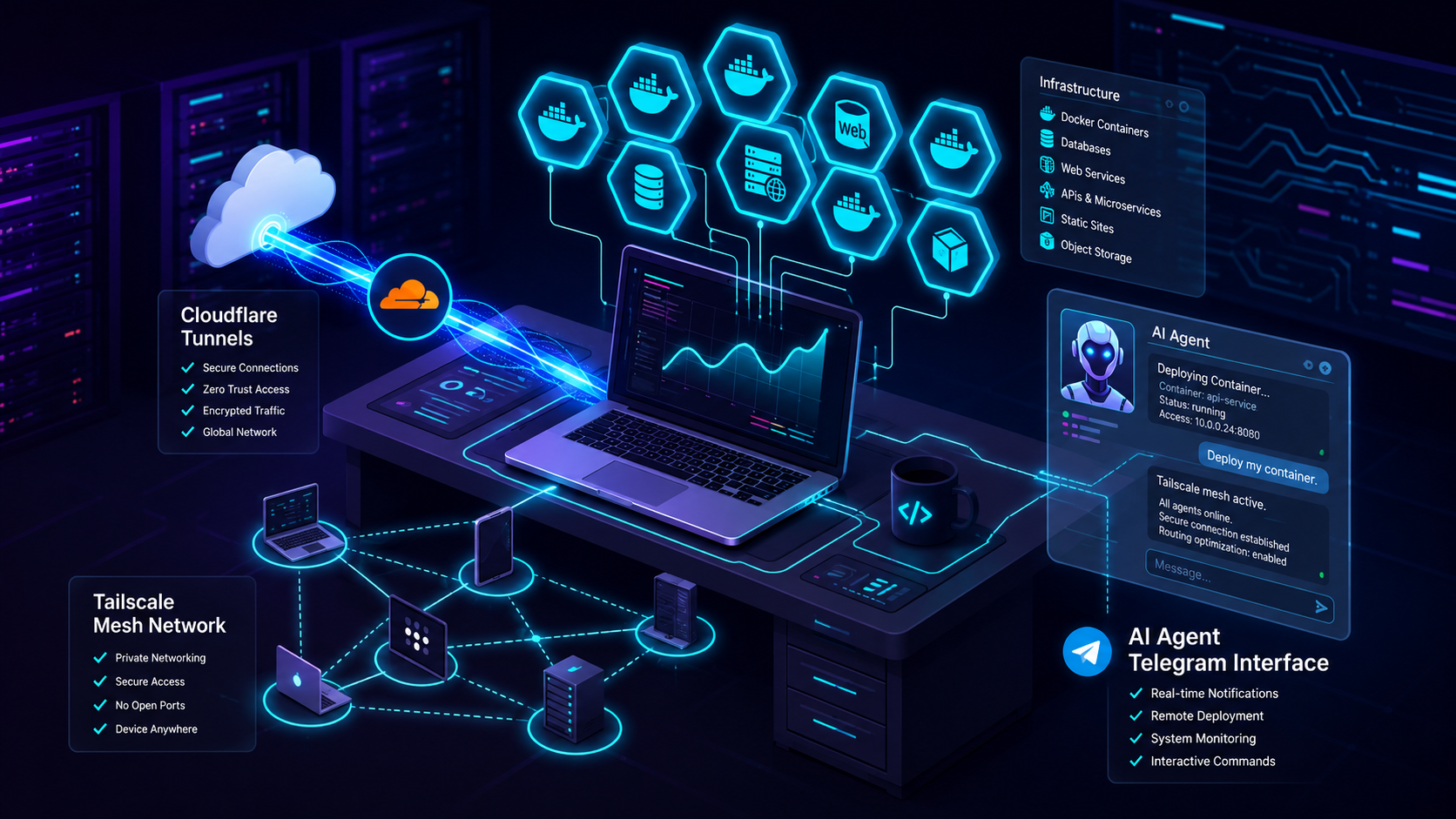
A single Ubuntu server. Multiple Laravel applications running in production a daily journal, an ERP system, a point-of-sale system, and more. And orchestrating it all? An AI agent named Hermes that I control from my phone via Telegram.
This isn't a rented cloud VM or a VPS. It's a repurposed ThinkPad T480 (bought used for under 25,000 BDT) running 24/7 as a dedicated bare metal server full OS, direct hardware access, no hypervisor overhead.
The Hardware
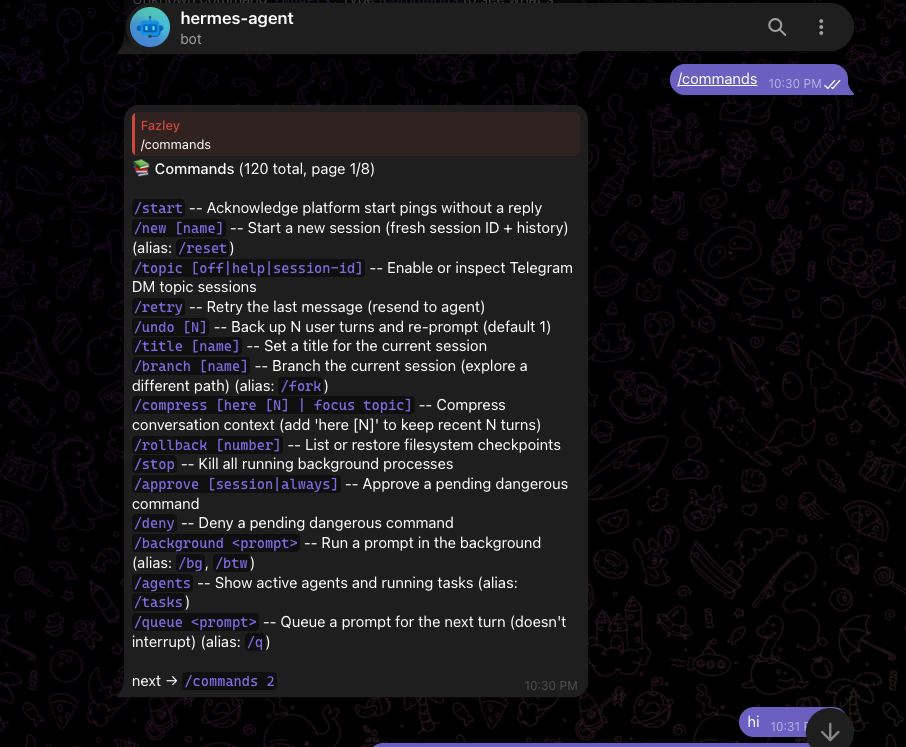
| Spec | Details |
|---|---|
| Model | ThinkPad T480 (20L6S29E00) |
| CPU | Intel Core i5-8350U (8 cores) @ 1.70GHz |
| RAM | 8GB DDR4 (2× 4GB SODIMM @ 2133 MHz) |
| Storage | 238.5GB SK hynix SC401 SATA SSD |
| OS | Ubuntu 24.04.4 LTS |
| Network | Tailscale mesh VPN, Cloudflare Tunnel |
Running on bare metal means no noisy neighbors, no hypervisor overhead, and full control over kernel parameters, networking, and storage.
The Software Stack: Docker Everything
Every project runs in its own Docker environment. Each one gets:
- A FrankenPHP container for the web server (PHP 8.3, Caddy, worker mode)
- A Redis container for caching and sessions
- A MySQL container for the database
- A Cloudflare Tunnel container for secure public access
The magic is Docker Compose. Each project lives in its own directory with its own docker-compose.prod.yml:
services:
  app:
    build: .
    container_name: erp_app
    restart: unless-stopped
    ports:
      - "8082:80"
    depends_on:
      - redis
      - mysql

  redis:
    image: redis:7-alpine
    container_name: erp_redis
    restart: unless-stopped

  cloudflared:
    image: cloudflare/cloudflared:latest
    container_name: erp_tunnel
    restart: unless-stopped
    command: tunnel run --token $TUNNEL_TOKEN
Network Architecture: How Traffic Actually Flows
Here's the path a request takes when you visit one of my apps:
User → Cloudflare Edge → Tunnel → Docker Container → FrankenPHP → Laravel
┌─────────────┐     ┌──────────────┐     ┌──────────────┐
│  Browser     │────▶│  Cloudflare  │────▶│  Server      │
│  (Anywhere)  │     │  Edge (CDN)  │     │  Tunnel      │
└─────────────┘     └──────────────┘     │  Container   │
                                          └──────┬───────┘
                                                 │
                                                 ▼
                                        ┌──────────────┐
                                        │  App Server   │
                                        │  (FrankenPHP) │
                                        └──────────────┘
Each project gets its own tunnel. No reverse proxy, no nginx config, no port forwarding the tunnel handles everything. Zero open ports on the server.

The Remote Access Layer: Tailscale Mesh VPN
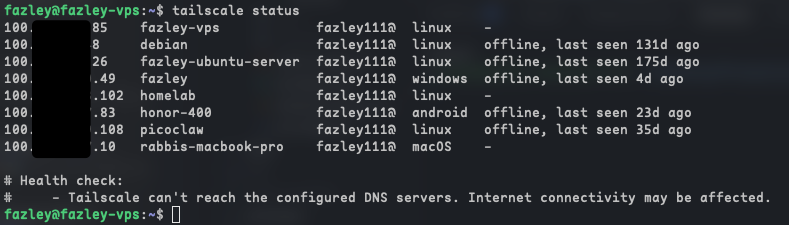
I manage everything from a MacBook, my phone, or via this very AI assistant but none of my devices share a local network. That's where Tailscale comes in.
| Device | Tailscale IP | Role |
|---|---|---|
| Server | 100.x.x.85 |
Main server |
| MacBook Pro | 100.x.x.10 |
Development |
| Phone | 100.x.x.83 |
On-the-go access |
Tailscale creates a WireGuard-based mesh network. Every device gets a unique IP, and they can reach each other even through NAT, firewalls, or CGNAT. No port forwarding needed.
The AI Layer: Hermes Agent + Free AI Models
This is the part that surprises everyone. I run an AI agent with full shell access that I control through Telegram and it costs me zero dollars per month for AI inference.
The Providers
| Provider | Model | Cost / Deployment |
|---|---|---|
| OpenCode Zen | DeepSeek V4 Flash Free / MiMo V2.5 Free | Free API |
| OpenRouter | Gemma 4 31B / Nemotron Super / GPT-OSS | Free API |
| Groq | Llama 3.3 70B | Free API |
| Local Container | Ollama / Llama (SignalStack Llama) | Self-Hosted Docker |
Hermes Agent
Hermes Agent is an open-source AI agent system. It can:
- Run shell commands on the server
- Read and edit files
- Scan networks
- Manage Docker containers
- Debug production issues
- Schedule cron jobs for maintenance
- Use skills (reusable workflows)
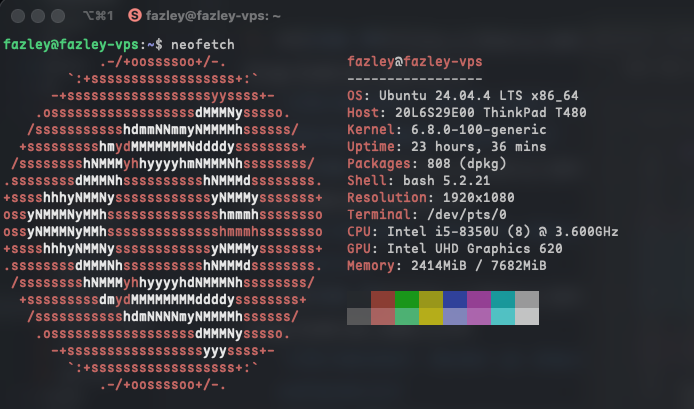
And I control it entirely through Telegram no SSH client needed.
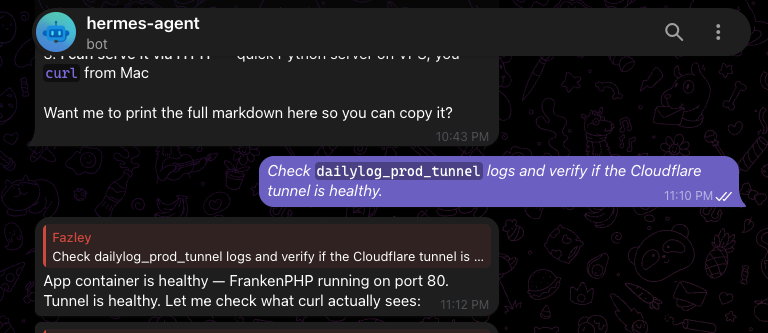
# Hermes config  providers section
providers:
  openrouter:
    models:
      - deepseek/deepseek-chat:free
  opencode-zen:
    api_base: https://opencode-zen.ai/v1
    models:
      - deepseek-v4-flash-free
Real-World Debugging: The Cloudflare Tunnel Nightmare
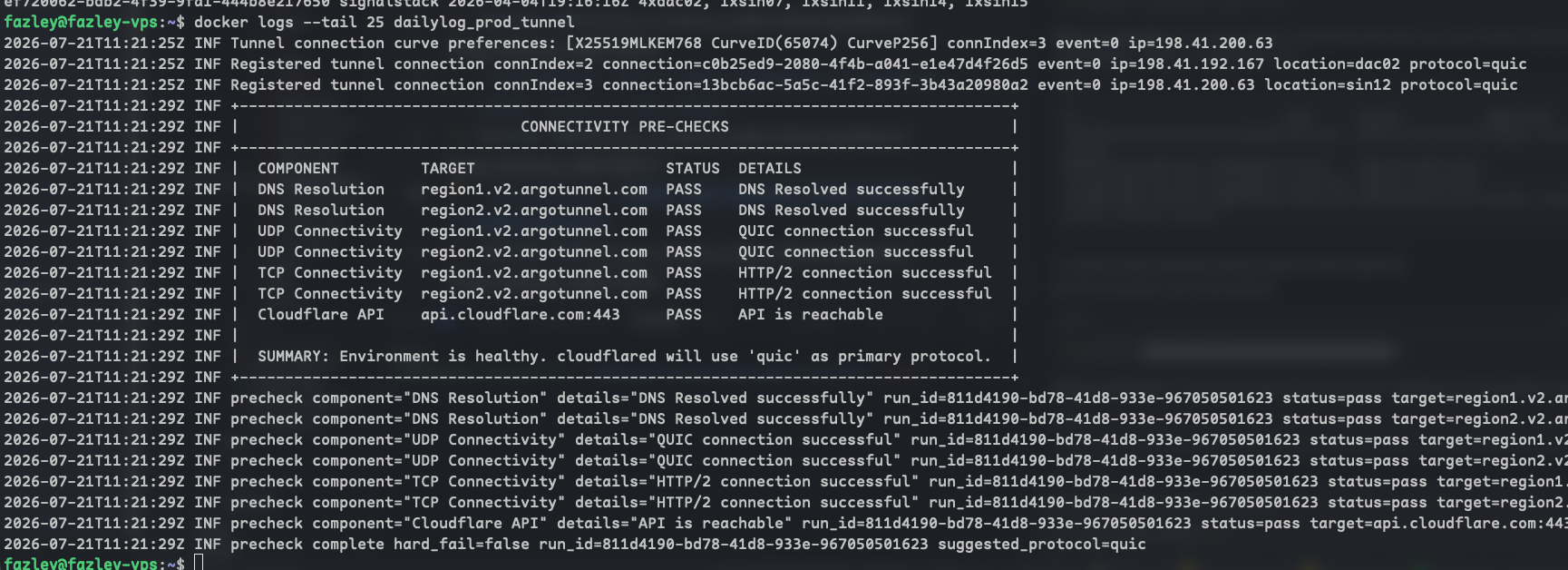
Let me share a real debugging session that shows what this homelab can handle.
The Problem: One of my sites (dailylog.fazleyrabbi.xyz) started returning Error 502 bad gateway.
The Diagnosis:
- Checked Docker containers were healthy
- Checked the app internal
curl localhost:80returned 200 OK - Checked the tunnel a rogue
cloudflaredprocess was running with a stale token
The Fix:
- Killed the stale PID
- Recreated the tunnel with
cloudflared tunnel create - Updated the DNS CNAME to point to the new tunnel ID
- Switched from
--configto--tokenmode after Cloudflare's dashboard migration
The Twist: After the migration, the old token was invalidated and the server rejected new connections with Error 1033. The fix required understanding how Cloudflare's tunnel lifecycle works locally-defined tunnels vs dashboard-managed tunnels.
Error 1033 → "Migrate dailylog" → Dashboard migration → Token invalidated
          → New tunnel created → DNS CNAME updated → Site back online
Lessons Learned
What I'd Do Differently
- Use environment variables from day one embedding tokens in compose files is a maintenance trap
- Monitor tunnel health proactively a cron job checking tunnel status would have caught the stale process earlier
- Document DNS architecture the CNAME/tunnel relationship is easy to forget when troubleshooting at 2 AM
What Worked Well
- Docker isolation each project is truly independent. Breaking one doesn't affect others
- Cloudflare Tunnel no open ports, no nginx config, automatic TLS. Worth every minute of learning curve
- Tailscale the mesh VPN pattern is superior to traditional VPNs for a multi-device homelab
- Hermes Agent having an AI assistant with shell access on Telegram is like having a sysadmin in your pocket
Project Directory
| Project | Domain / Access | Tech Stack |
|---|---|---|
| DailyLog | dailylog.fazleyrabbi.xyz | Laravel + FrankenPHP + Redis |
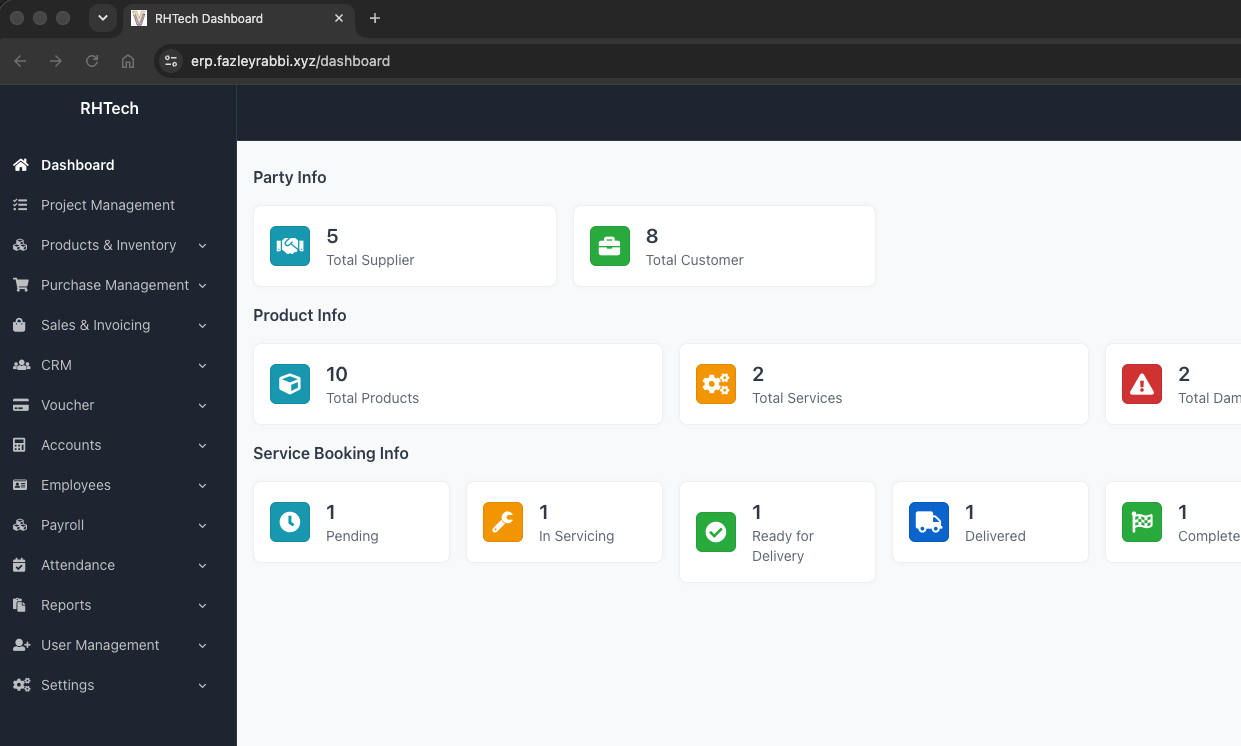
| ERP | erp.fazleyrabbi.xyz | Laravel + FrankenPHP + MySQL |
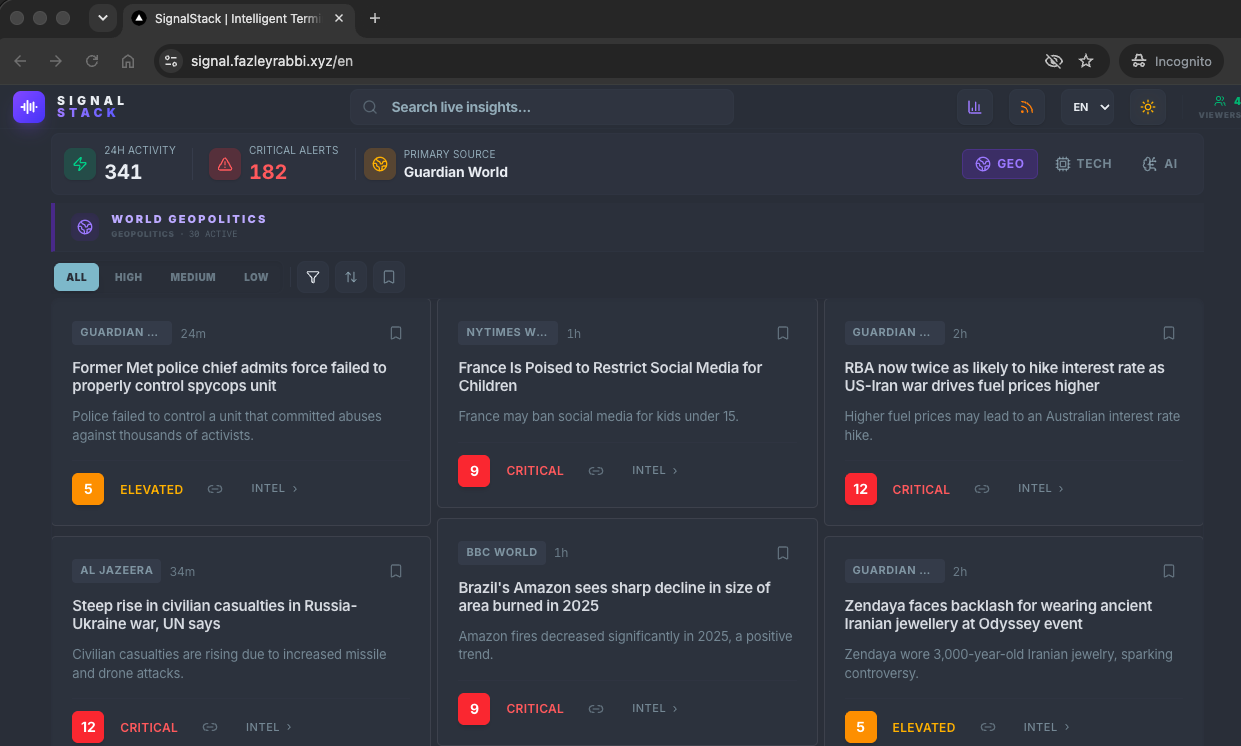
| SignalStack | signalstack.fazleyrabbi.xyz | Laravel + React + Redis + Local Llama |
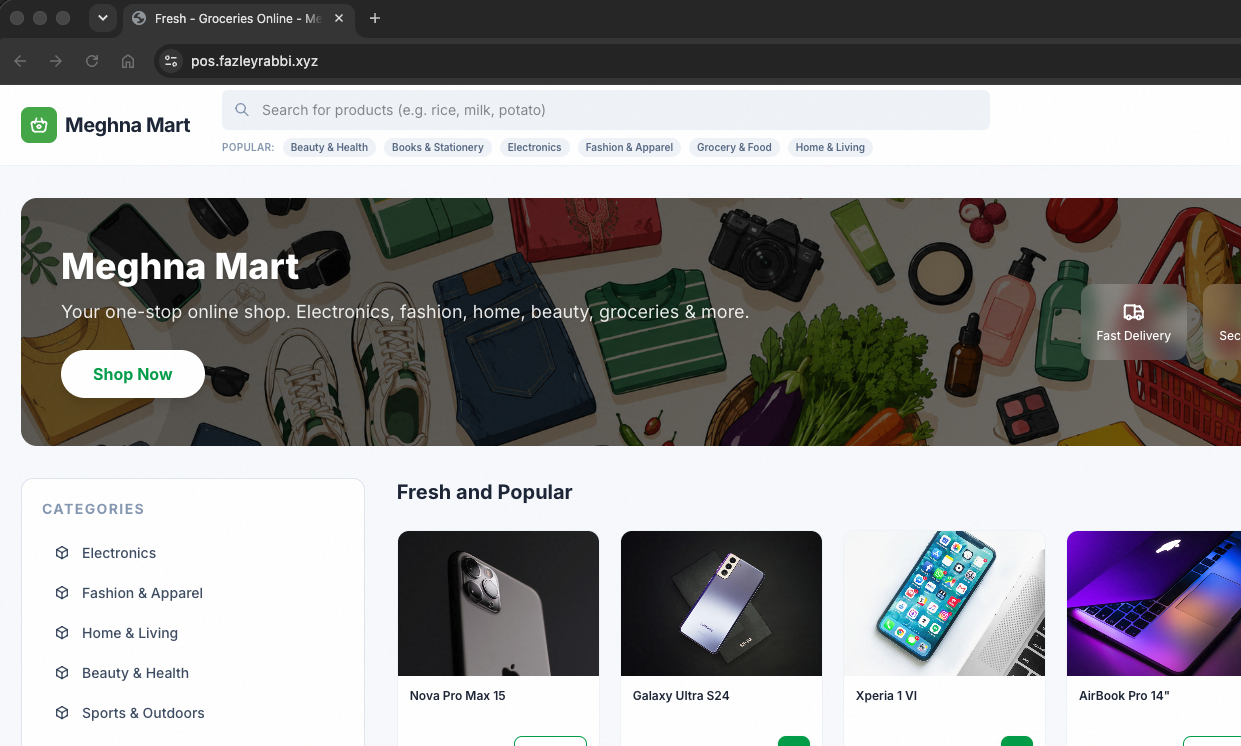
| LitePOS | Local Port 8081 | Laravel POS + FrankenPHP + Redis |
| EduBase | Local Port 8083 | Laravel + FrankenPHP + MySQL |
| MealHQ | Local Port 8084 | Laravel + FrankenPHP + MySQL |
| OpenEnvMap | Local Port 3006 | React + Node API + PostgreSQL |
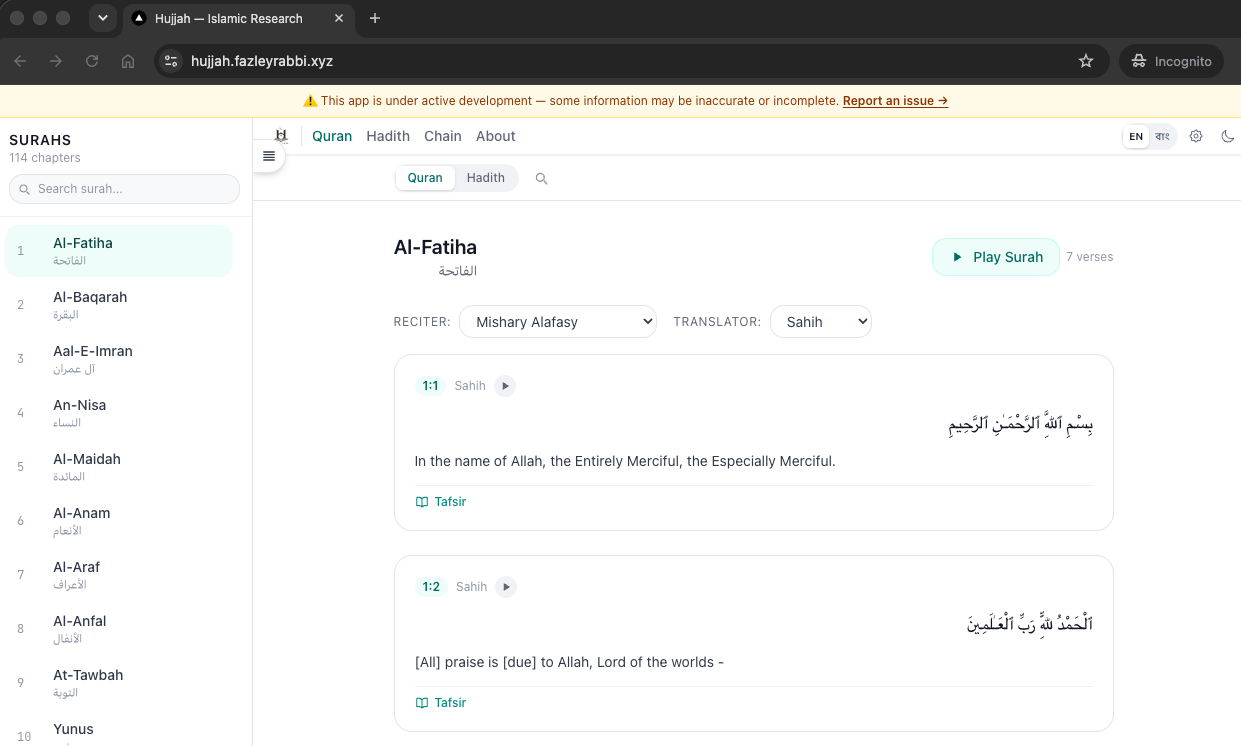
| Hujjah Web | Local Port 3002 | Next.js / Node |
| Homelab | Ubuntu + Docker + Tailscale | |
| Agent | Telegram | Hermes Agent + OpenRouter/Groq |
The Cost Breakdown
| Service | Monthly Cost / Investment |
|---|---|
| Server Hardware | $0 ongoing (used ThinkPad T480 bought <25k BDT) |
| AI Inference | $0 (free tier models) |
| Cloudflare | $0 (free tier) |
| Tailscale | $0 (personal tier) |
| Domain | ~$15/year |
| Total | ~$1.25/month |
Have a homelab setup? Questions about this architecture? Reach out I'm always happy to talk infrastructure.